Guide 2.5
Export and import a contest
Save a contest as one file, and bring it into another copy of Tallybox. Useful for building a contest in advance, or reusing last year's.
Who can do thisSuper AdminAdmin
Export a contest
Admins and Super Admins can save any contest as a bundle file.
- Choose Export contestIt is in the row menu on the Contests list, and in the Actions menu on the contest page.
- Choose whether to Include photosPhotos make the file larger.
- ConfirmYour browser downloads the bundle file.
Import a contest
Super Admin only. Import contest only appears for Super Admins. An Admin who needs a contest imported should ask a Super Admin.
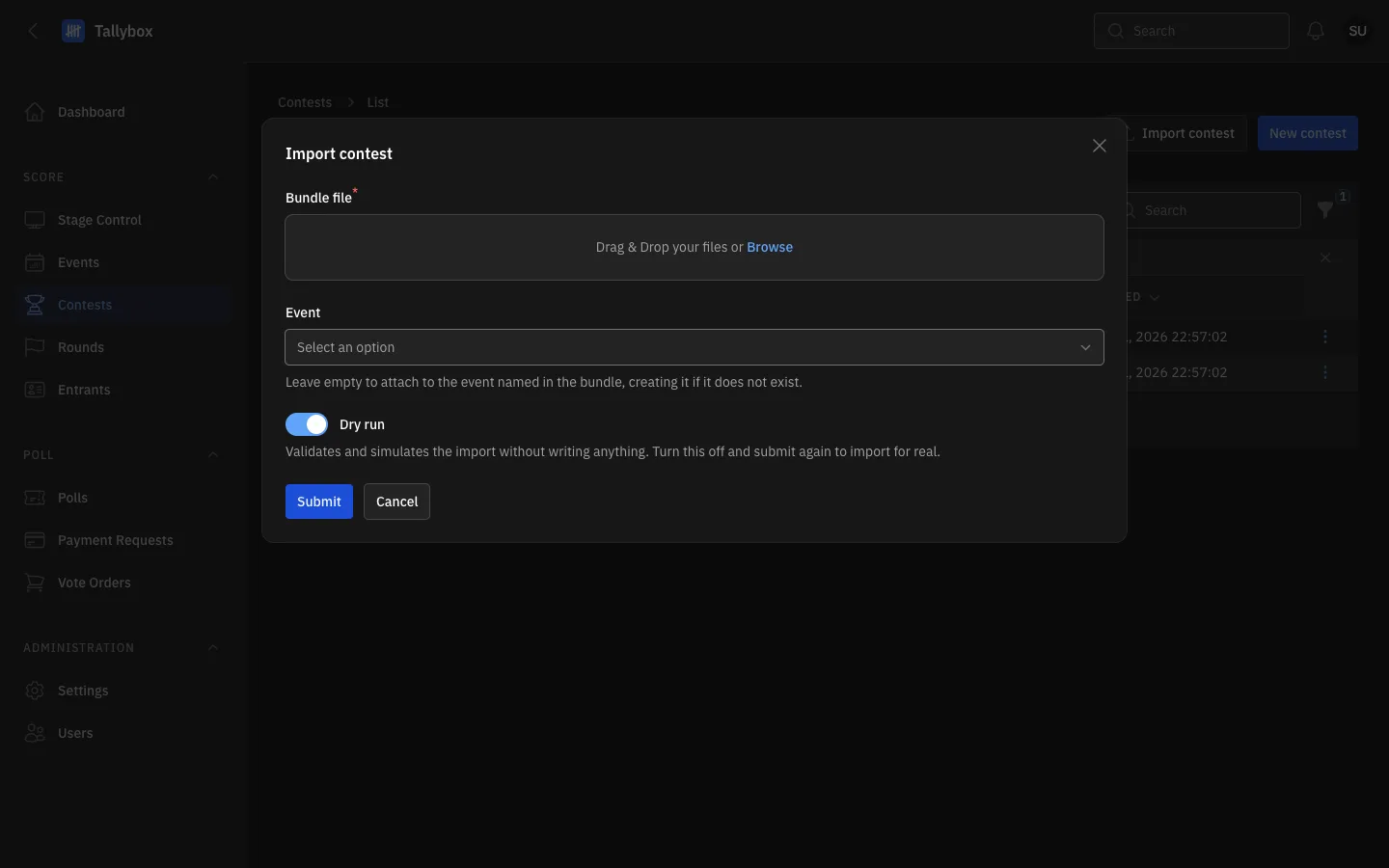
- Bundle file: drop the file you exported, or choose Browse.
- Event: pick the event to put the contest in. Leave empty to use the event named in the file, creating it if needed.
- Dry run: on by default. It checks the file and shows what would happen without changing anything.
- Submit.
- On the Contests list, choose Import contest
- Add the Bundle file and, if you want, pick the Event
- Leave Dry run on and choose SubmitRead the result. It tells you if the file has problems.
- Choose Import contest again, switch Dry run off and choose SubmitThis time the contest is really imported.
Always dry run first. A dry run changes nothing, so you can repeat it until the file passes.