Guide 4.3
Print and export results
Download the paperwork for a round or a whole contest: tabulation sheets, raw scores, official results and every judge's scoresheet.
Who can do thisSuper AdminAdminAuditorTabulator
Everything here lives under Actions on a round or a contest. These documents are read-only: Super Admins, Admins, Auditors and Tabulators can all produce them. Some need results first, so compute the round before you print its tabulation sheet.
Documents for one round
Open Rounds, choose View on the round, then Actions.
- Generate tabulation sheet: a PDF of how the placements were worked out, entrant by entrant. It needs a computed round.
- Export raw scores: every score as entered, as a CSV or an XLSX (Excel) file. You pick the format, and a notification with a Download button appears when it is ready. The entry shows only once the round has scores.
- Export judge scoresheets: every judge's scoresheet, chairman first, as one merged PDF or a ZIP of separate PDFs. Judges who have not submitted are skipped and listed.
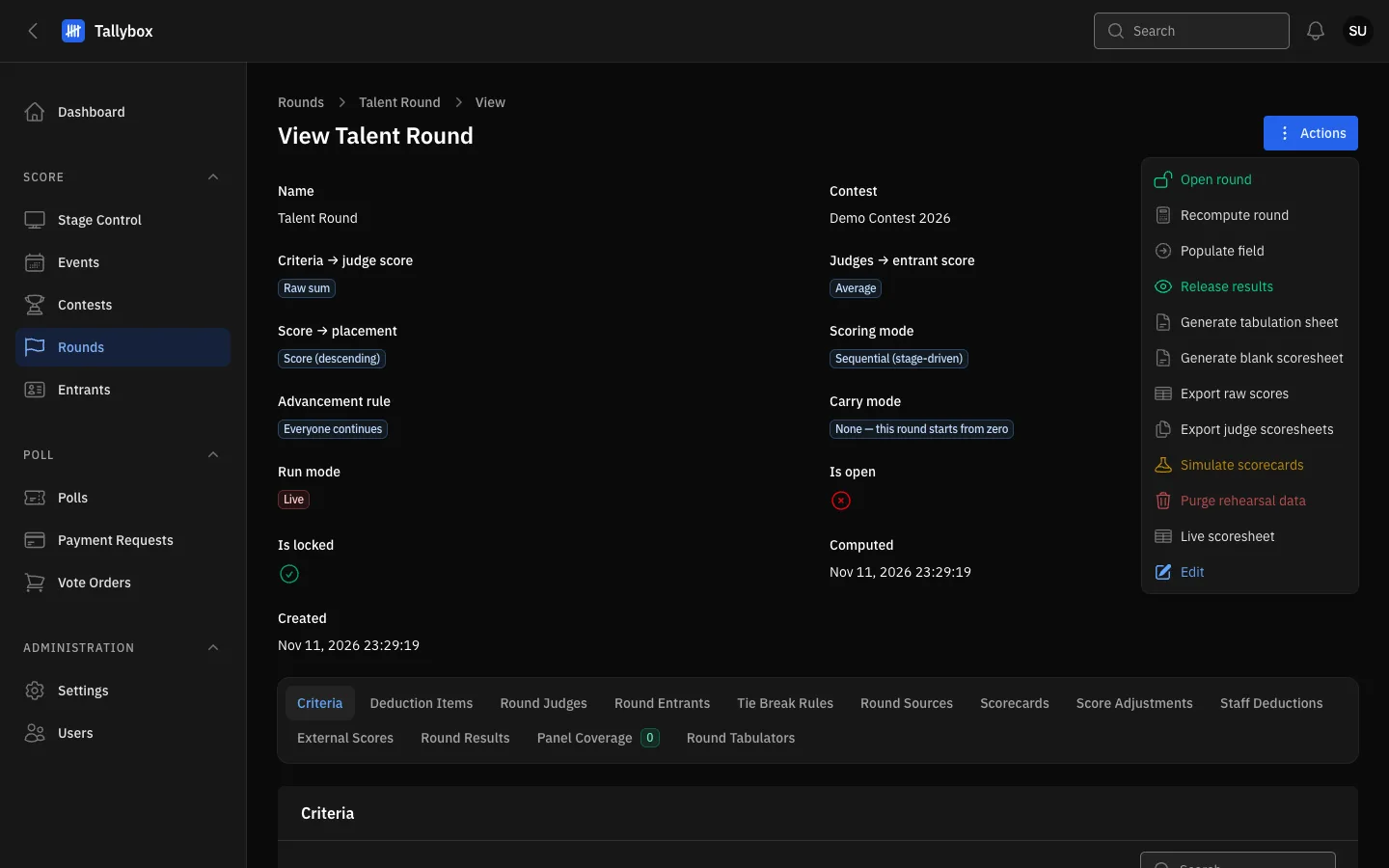
- Generate tabulation sheet.
- Export raw scores.
- Export judge scoresheets.
Generate a tabulation sheet
- Choose Actions, then Generate tabulation sheet
- Tick or untick Show tie-break detailsTicked, the sheet shows how any tie was broken. A round decided only by the head judge never shows them.
- Choose GenerateThe PDF downloads.
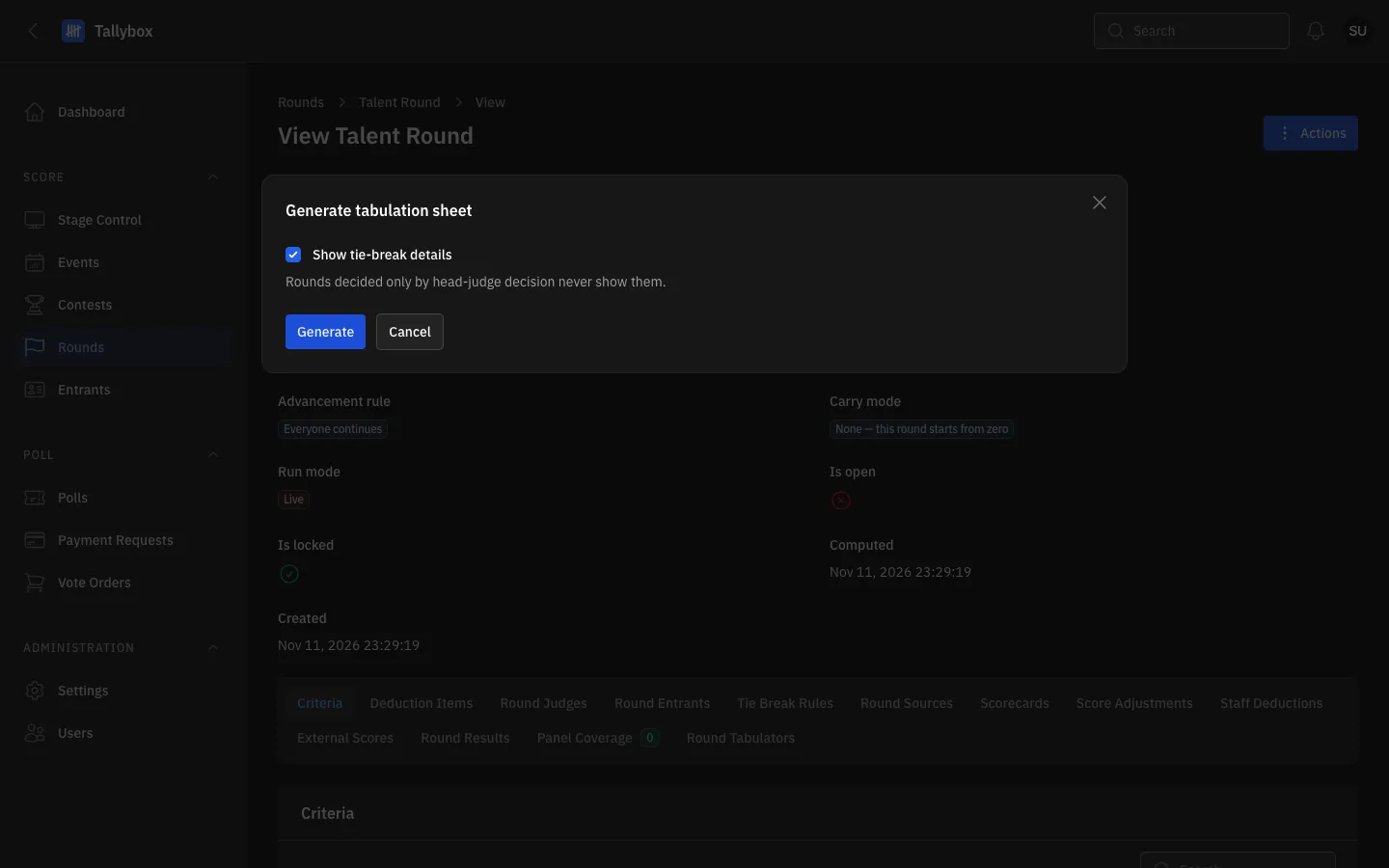
- Show tie-break details.
- Generate: downloads the PDF.
Export judge scoresheets
- Choose Actions, then Export judge scoresheets
- Pick a FormatOne merged PDF, or a ZIP of separate PDFs. Choose ZIP for a very large contest.
- Choose ExportTallybox prepares the file in the background and sends you a notification when it is ready.
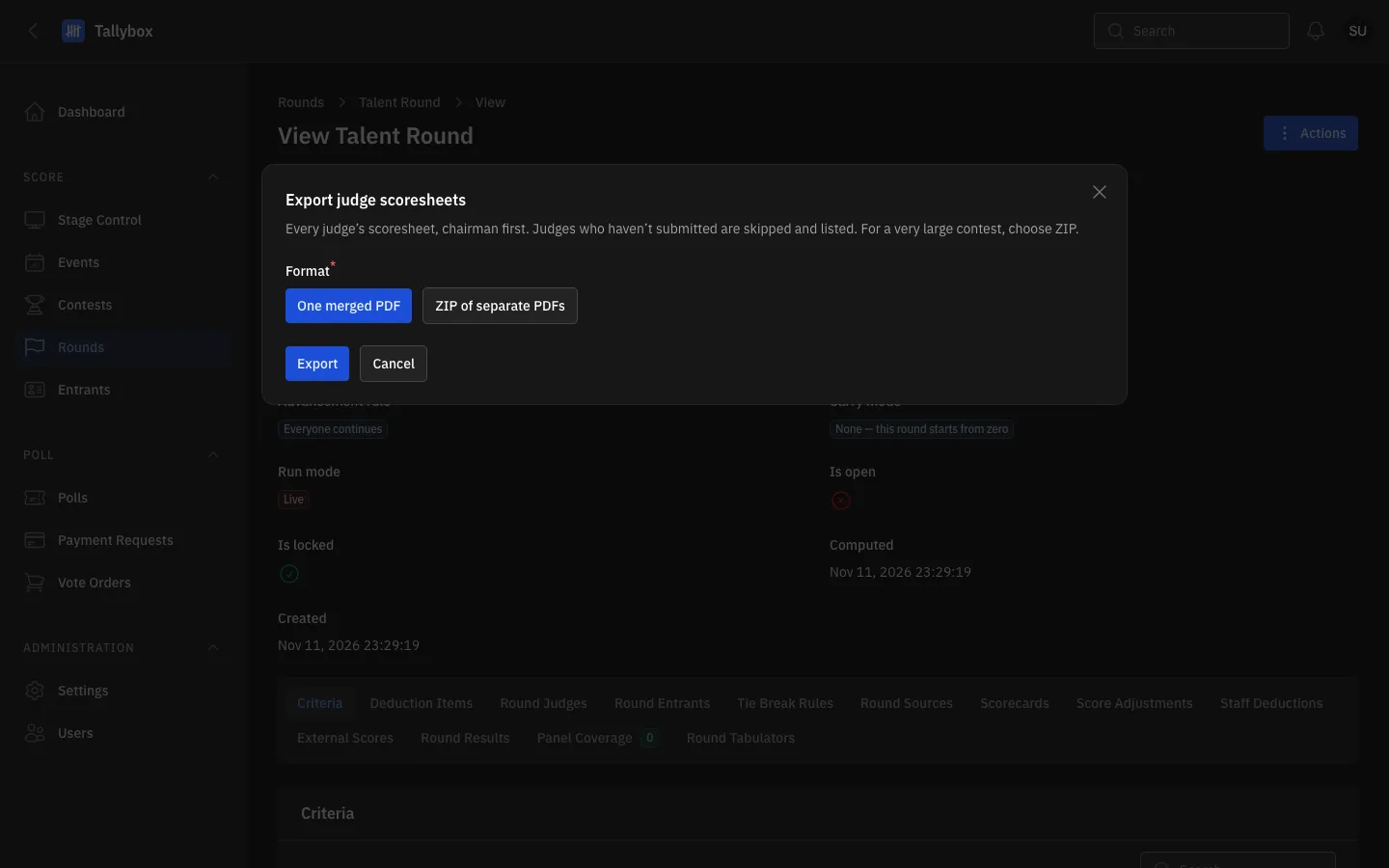
- One merged PDF.
- ZIP of separate PDFs.
- Export: starts the background export.
Documents for a whole contest
Open Contests, choose View on the contest, then Actions.
- Export tabulation sheets: every computed round, then every resolved award, in one file. Sheets that are not ready are skipped and listed in the notification. It is prepared in the background. A Tabulator can use it only when assigned to every round of the contest.
- Official results: the official results PDF, built from the contest's results pages. Choose Filled for the real figures or Blank for an empty form. The window lists any pages that still have unfinished items, and then Download gives you the file.
- Export judge scoresheets: every judge's scoresheets for every round of the contest, prepared in the background like the round version.
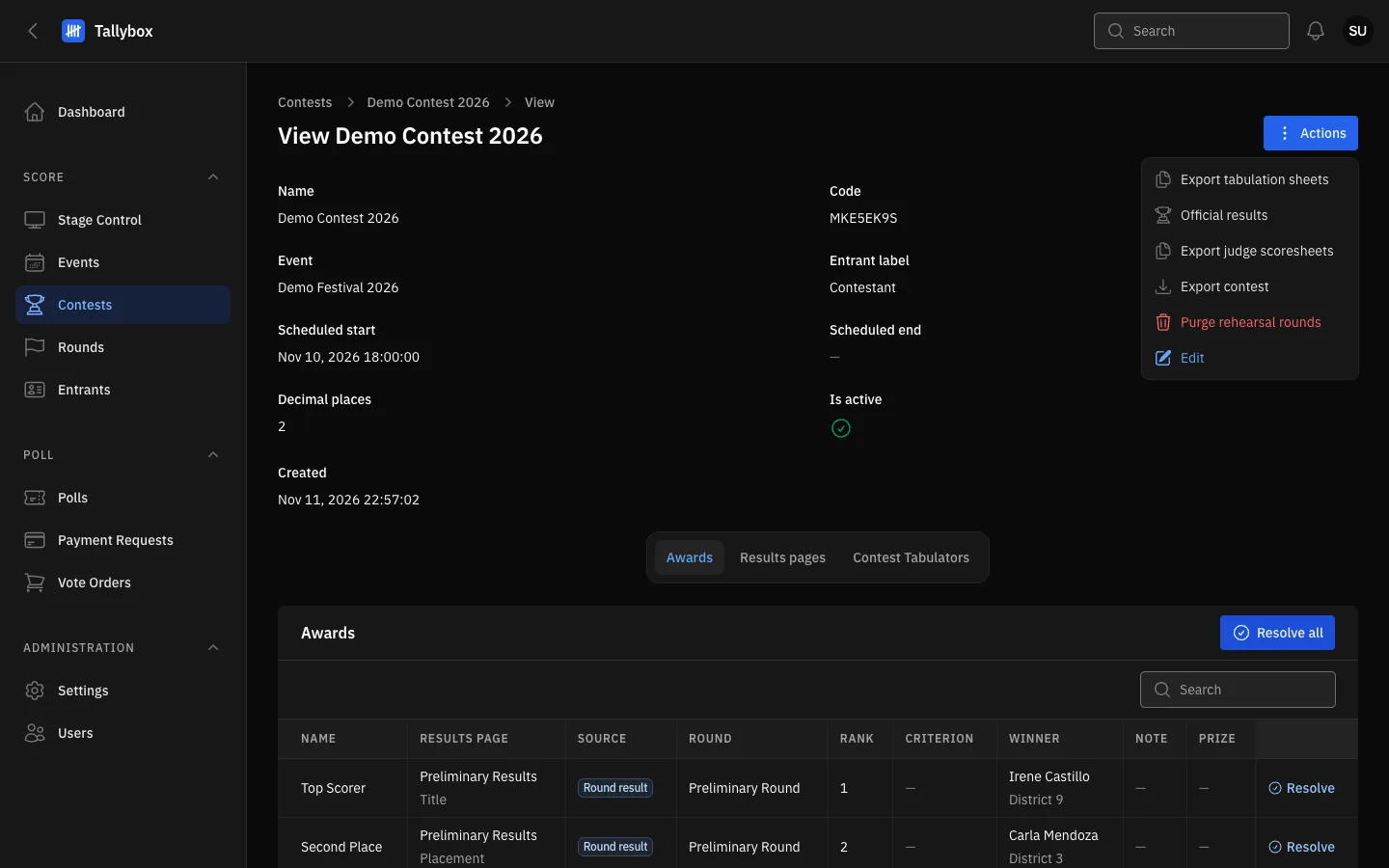
- Export tabulation sheets.
- Official results.
- Export judge scoresheets.
For a single award, open the contest's Awards tab and choose Generate tabulation sheet on the award's row. It appears only on awards that have a tabulation sheet. See Set up awards.
Sheets are for checking, not for the audience. Tabulation sheets and scoresheets are working papers for staff. The audience sees results only after you release them.
Nothing to export? If no judge has submitted a scorecard, Tallybox says "Nothing to export" and makes no file. If an export for the same round or contest is already running, wait for it to finish first.