Open and close a poll
Opening a poll lets people buy votes. Closing it stops voting and locks in the official result.
Who can do thisSuper AdminAdmin
A new poll starts Closed. You switch voting on and off yourself with the Open poll and Close poll buttons. Only a Super Admin or an Admin sees them. An Auditor can read the poll but never sees these buttons.
Open a poll
- Choose Polls, then View on the closed poll
- Choose Open poll at the top right
- Choose ConfirmA green "Poll opened" message appears.
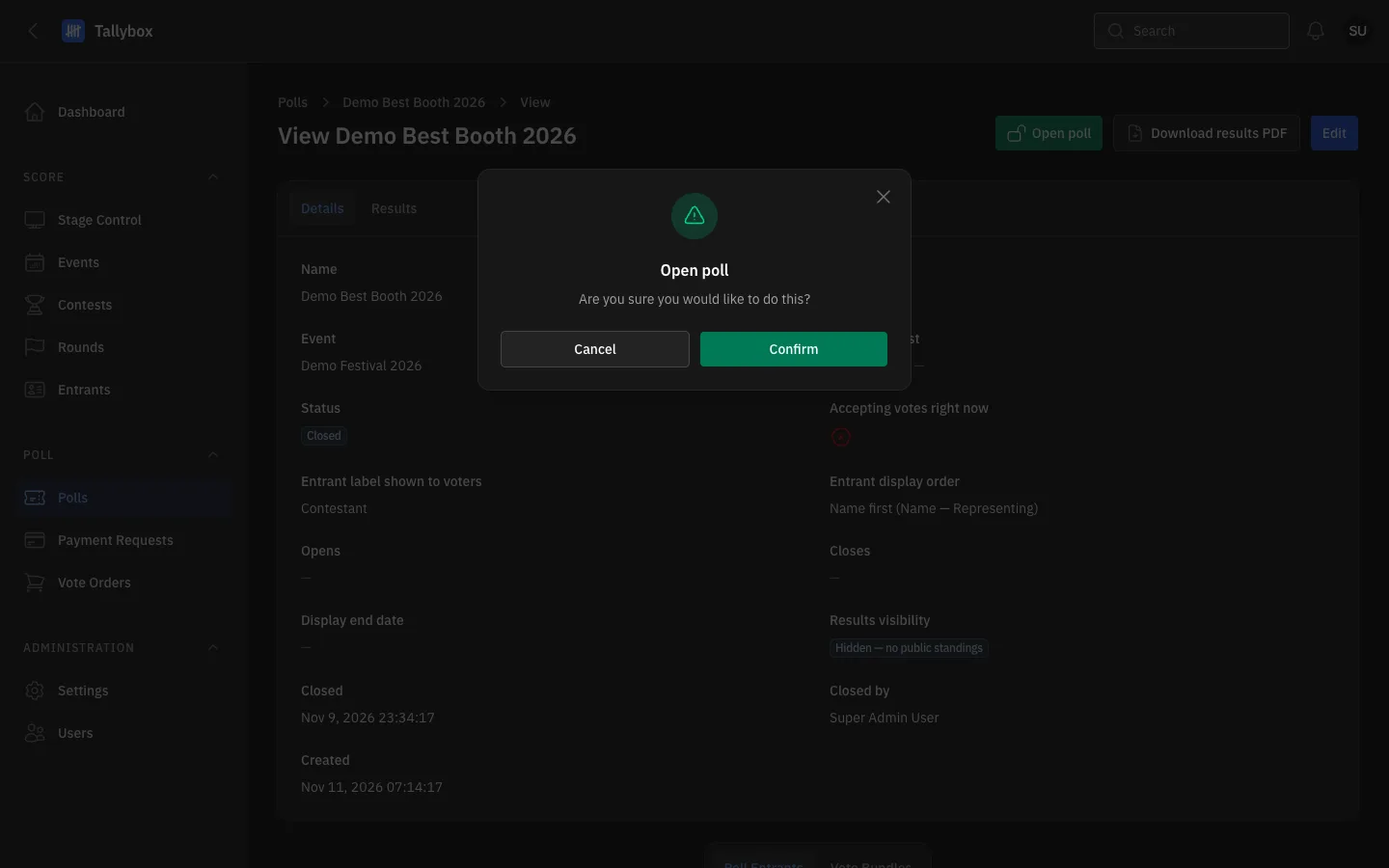
- Open poll: appears only while the poll is not Open.
- Confirm: opens the poll.
- Cancel: leaves the poll as it was.
Opening is not always enough for votes to start. If the poll has an Opens or Closes date, voting is accepted only inside that window. Check the Accepting votes right now tick on the poll's Details tab.
Close a poll
- Choose Polls, then View on the open poll
- Choose Close poll at the top right
- Choose ConfirmA green "Poll closed" message appears.
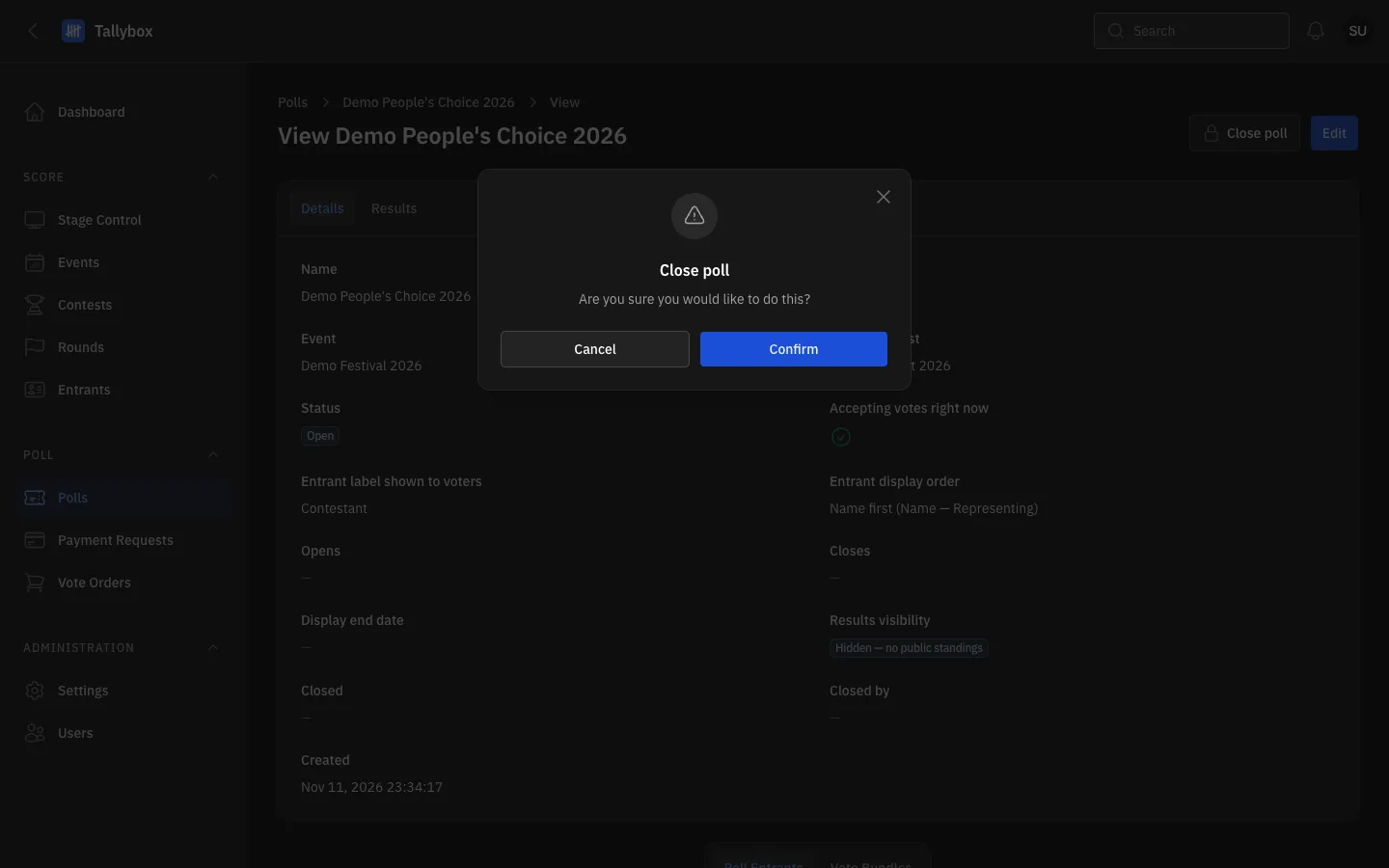
- Close poll: appears only while the poll is Open.
- Confirm: closes the poll.
- Cancel: keeps the poll open.
Closing records who closed the poll and when, and saves the final ranking as the official result. A payment that finishes a moment after you close cannot change that ranking. The poll's Details tab then shows the Closed date and Closed by. After closing, you can download the results PDF.