Guide 5.4
Set up vote bundles
A bundle is a set number of votes sold together for one price. Voters choose a bundle when they buy.
Who can do thisSuper AdminAdminAuditor
Each poll has its own bundles, for example 10 votes for 10 pesos or 100 votes for 80 pesos. A Super Admin or an Admin can add, change, remove, and switch bundles on or off. An Auditor can read the list only.
Read the bundles
- Choose Polls, then View on the poll
- Scroll down and choose the Vote Bundles tab
- Read the Name, Votes, Price and Active columns
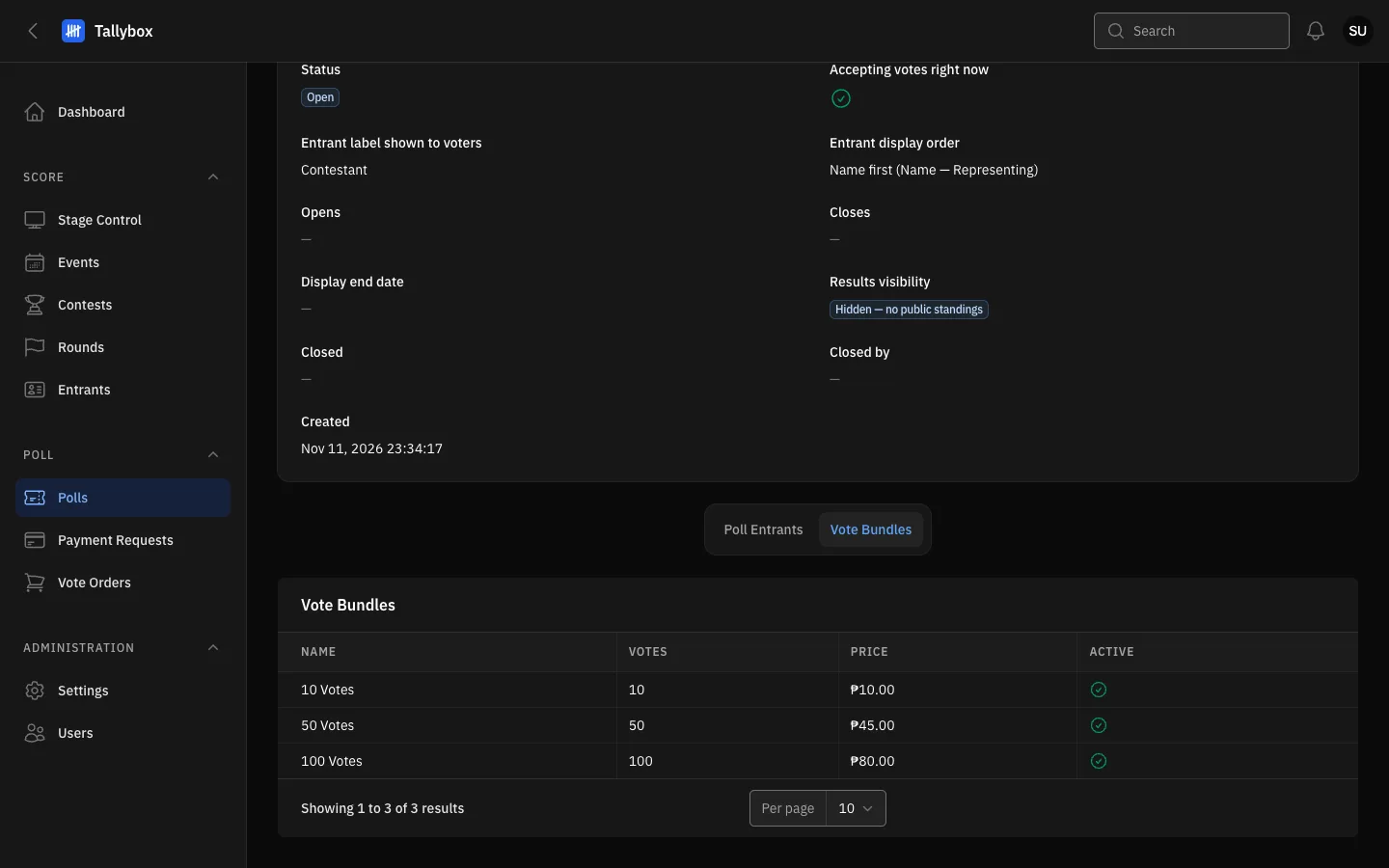
- Vote Bundles tab.
- Price: what the voter pays for the bundle.
- Active: only active bundles are offered to voters.
Add, edit or remove a bundle
- Choose Edit on the poll, then scroll down and choose the Vote Bundles tab
- Choose New vote bundle
- Fill in the Name, Votes and PriceSort order controls where the bundle shows in the list, and the Active switch decides if voters can buy it now.
- Choose Create
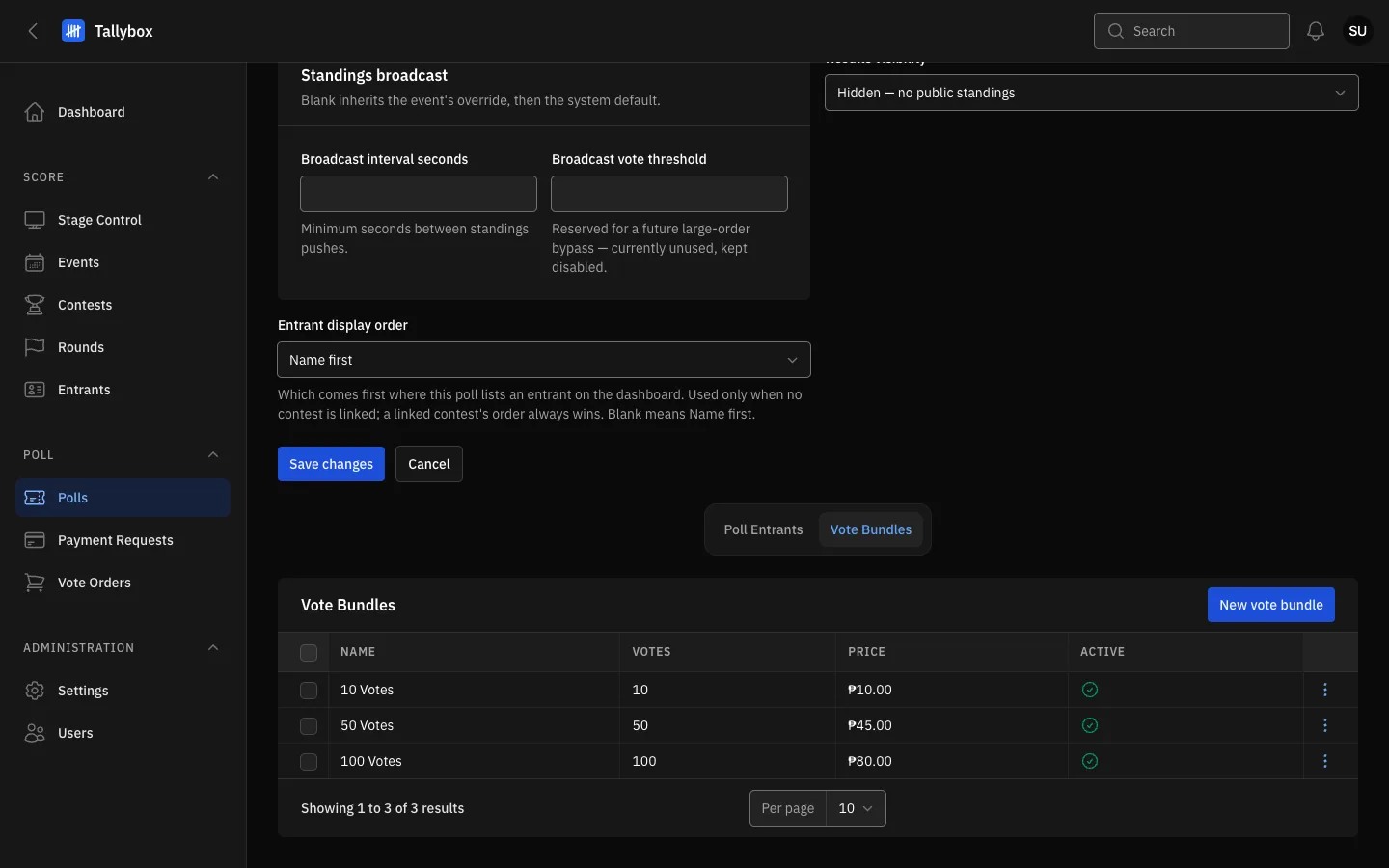
- New vote bundle: adds a bundle to this poll.
- Tick boxes: select several bundles for a bulk action.
- Row menu: Edit, Delete, and Activate or Deactivate.
Use the row menu to Edit or Delete a bundle. To remove several, tick them and choose Delete selected. These buttons appear only on the Edit page.
Switch a bundle on or off
- Open the row menu on the bundle and choose DeactivateThe menu shows Activate for a bundle that is off.
- To change several at once, tick their boxes and use Bulk actions
Deactivate rather than delete. A deactivated bundle disappears from the voting page but stays in your records, so past orders still show what was bought.