Print scoresheets and override a judge
Print a blank sheet for paper scoring, print what a judge submitted, or correct a judge's weight after the round has opened.
Who can do thisSuper AdminAdminAuditorTabulator
Print a blank scoresheet
A blank scoresheet lists the round's entrants and criteria with empty boxes. Keep a stack at the venue as the fallback if a judge's screen stops working. It needs only the round's setup, not any scores, so you can make it before the round opens.
- Open the round and choose Actions, then Generate blank scoresheetThe item shows only if the round has criteria.
- Choose Download in the message that appearsThe sheet opens in a new tab as a PDF, ready to print. The download link works for a short time, so print it right away or generate it again.
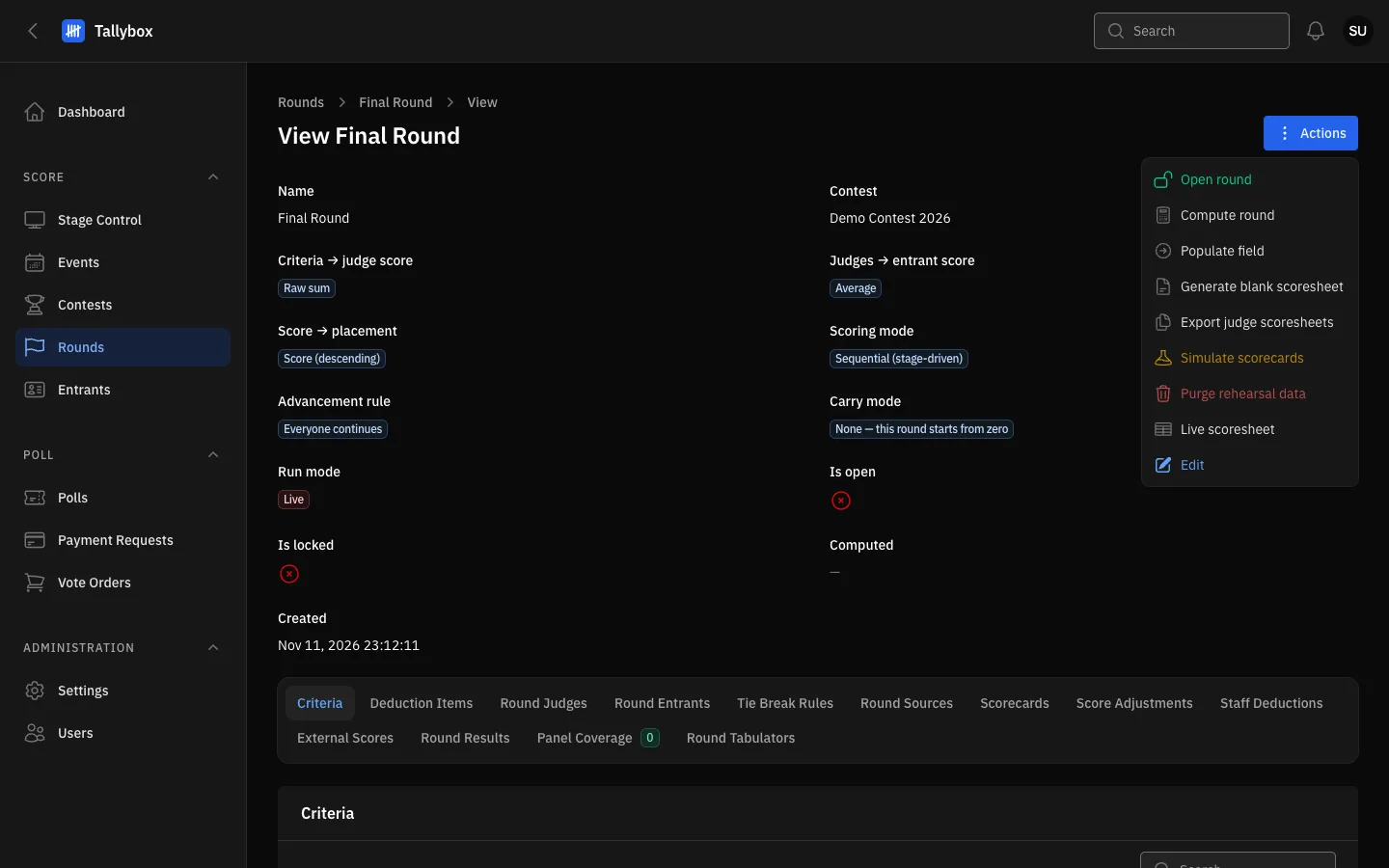
- Generate blank scoresheet: a PDF with empty boxes for every entrant and criterion.
- Export judge scoresheets: all submitted sheets together. See the Results chapter.
Print what one judge submitted
This makes a completed sheet with the scores one judge has entered. It is a record, for example to give the chairman or to keep with the paper file.
- Open the round and choose the Round Judges tab
- Choose Generate scoresheet on the judge's rowThe button appears only after that judge has submitted at least one score. If it is missing, they have not scored yet.
- Choose Download in the message that appears
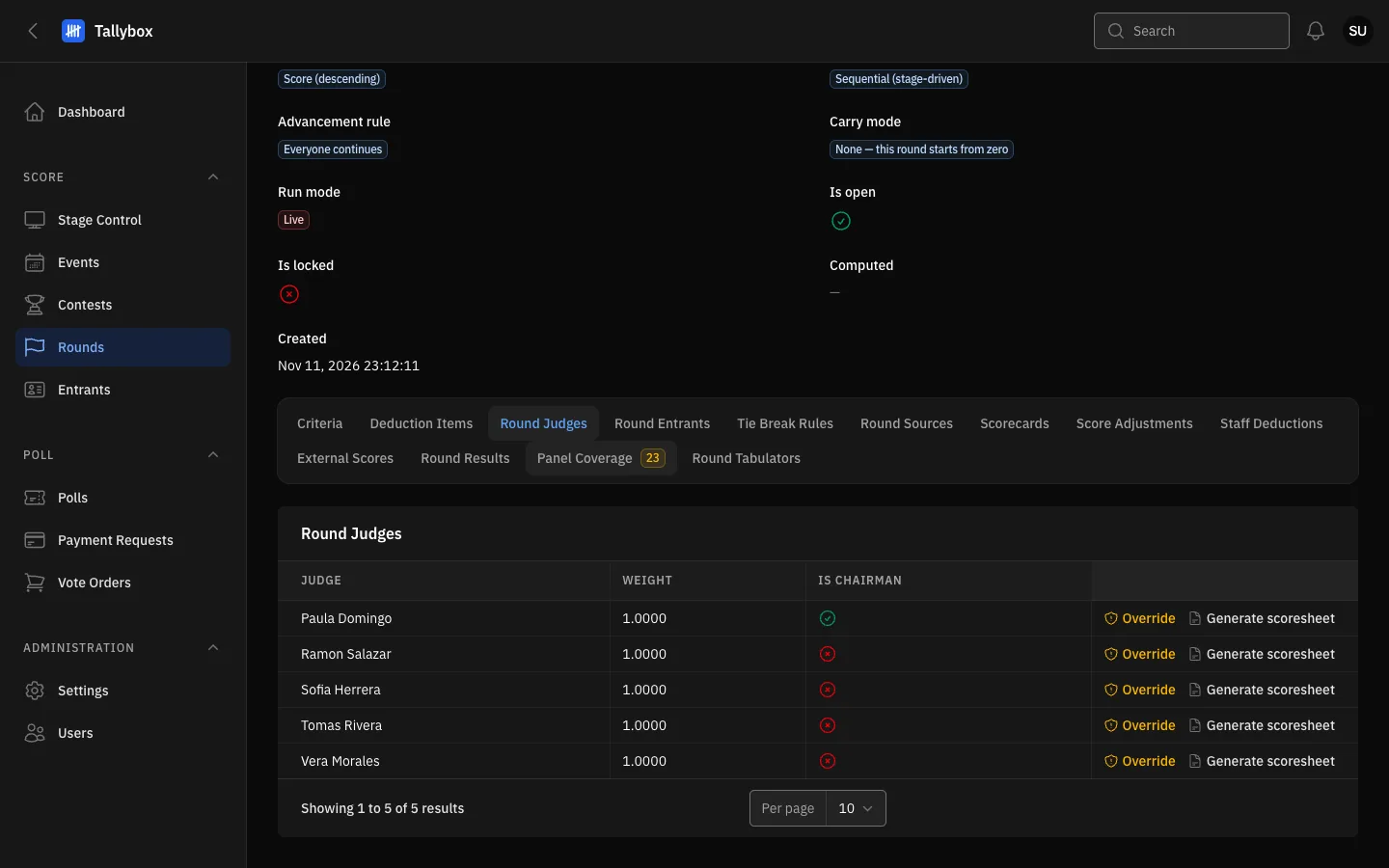
- Round Judges tab.
- Override: shown to a Super Admin only, once the round has opened.
- Generate scoresheet: this judge's submitted scores as a PDF.
Override a judge on the frozen panel
Once a round has opened, its panel is frozen: you cannot add or remove judges or edit their weight. If a judge's weight or chairman mark is wrong, a Super Admin can correct it with Override. It changes only those two things.
- On the Round Judges tab, choose Override on the judge's row
- Set the new weight, and tick or untick Is chairman
- Write the reason, then saveThe reason is required and is kept in the audit trail with your name. A message says Panel overridden.
Only a Super Admin sees the Override button. Other roles do not see it.